
Sub-Goals & Milestones
Bigger goals break down into smaller ones. A year-long goal might decompose into quarters; a quarterly goal into months; a monthly goal into weeks. Each sub-goal is a milestone - a smaller objective that contributes to the parent.
How the Tree Structure Works
Goals form a tree:
- Root goal - the top-level ambition. Has its own time horizon.
- Sub-goals - nested under the root. Have their own shorter horizons and their own outcomes.
- Sub-sub-goals - further nested if needed. Rarely more than two layers deep in practice.
Each layer narrows the time horizon:
| Root | Typical Sub-Goal | Sub-Sub-Goal |
|---|---|---|
| Year | Quarter | Month |
| Quarter | Month | Week |
| Month | Week | (rarely deeper) |
The tree is flexible - you don't have to decompose. A month-long goal with no sub-goals is perfectly fine if the objective is simple.
Adding a Sub-Goal
On the goal detail page, tap the "+" under the sub-goals section. A mini-wizard similar to the goal creation wizard walks you through:
- Sub-goal name.
- Desired outcome.
- Time horizon (constrained to fit inside the parent's horizon).
- Optional milestones nested under this sub-goal.
Once saved, the sub-goal appears as a card nested under the parent on the detail page. Expand the card to see or edit its details.
Milestone Rewards
Completing a sub-goal:
- Checks off the sub-goal card on the parent's detail page.
- Updates the parent's progress bar - sub-goals contribute to the parent's overall completion.
- For premade sub-goals, often grants its own small XP and gold reward on the way to the root.
For custom goals, sub-goals complete when their outcome is met (a mix of linked-task completion and your own self-assessment), but don't grant per-sub-goal rewards. The completion signal is for your own tracking.
Sequential vs Unordered Sub-Goals
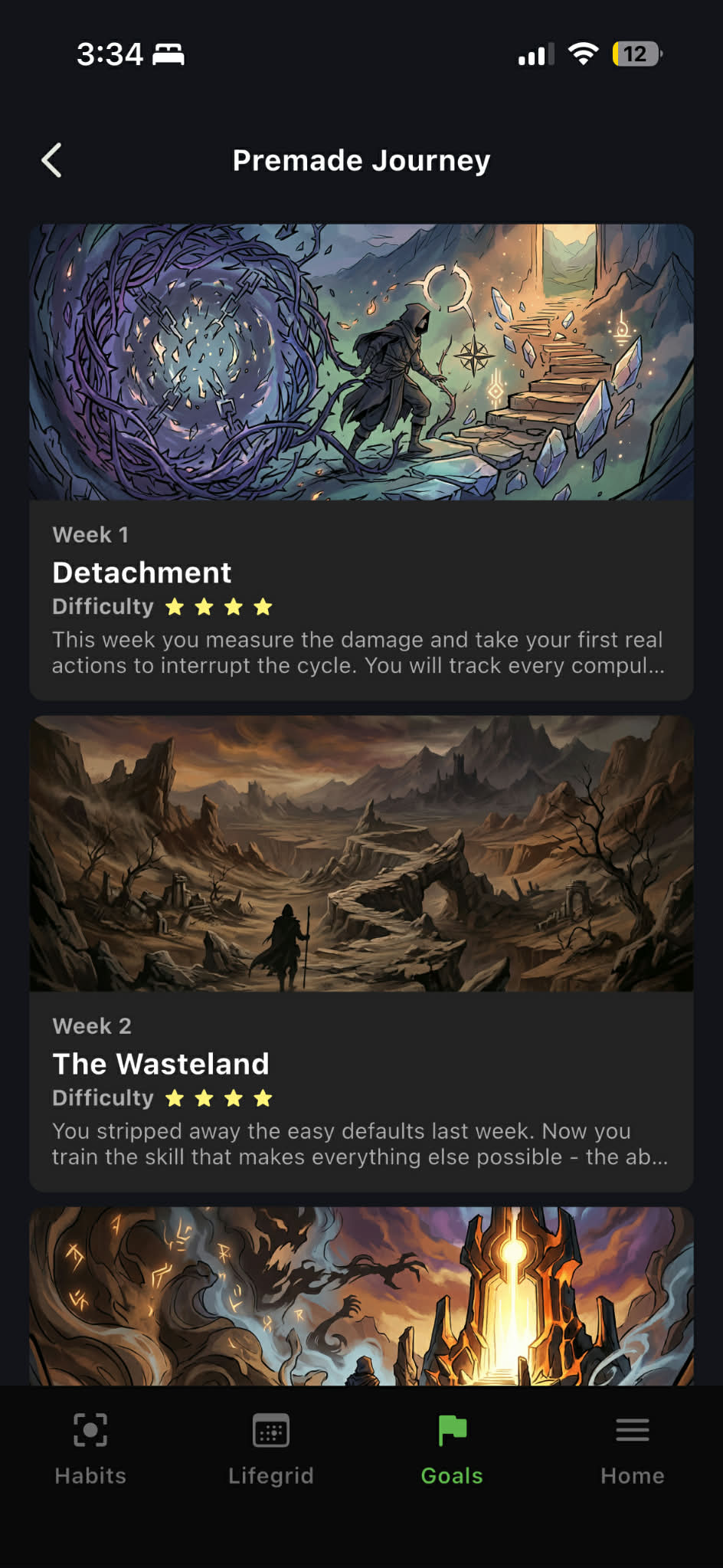
In premade goals, sub-goals are usually sequential - they unlock one at a time as you complete the previous one. You can see the next sub-goal's name but not its full content until the prior one is done. This paces the journey.
Some premade goal templates allow unordered sub-goals - all visible at once, completable in any order. This is less common but appears in templates where the sub-goals are genuinely independent.
In custom goals, sub-goals are always unordered (all visible, all editable).
Unlocking Sub-Goals Early
For premade goals with sequential sub-goals, you can pay gold to unlock a locked sub-goal early without completing the prior one. The cost scales by how far you're skipping ahead - skipping one sub-goal is cheap, skipping five is expensive.
Why early unlocking costs gold
Sequential unlocking is meant to pace the experience - the template author designed the sub-goals to build on each other. Early unlocking lets impatient players leapfrog but puts a real cost behind it. The gold sink is the friction that keeps the pacing meaningful without becoming a hard gate.
Custom goals don't have this - sub-goals are all unlocked from the start.
Completing a Sub-Goal
A sub-goal is complete when its content is done:
- Premade leaf sub-goals auto-complete when all their tasks are finished and all their infocards are read.
- Premade non-leaf sub-goals auto-complete when all their sub-sub-goals are done.
- Custom sub-goals complete when you mark them complete manually.
Completing the last sub-goal of the root can auto-complete the root itself (for premades) or just finish the tree's sub-goal pieces (for custom goals - you still mark the root complete yourself).
The Sub-Goal Detail View
Tapping into a sub-goal opens its own detail page, which looks like a smaller version of the root:
- Its name, outcome, and motivation.
- Its own sub-goals (if any).
- Its own linked tasks and infocards.
- A progress bar.
- Required guided journals (if the template specifies them).
This lets you drill into any sub-goal and see its specific content without losing sight of the bigger structure.
Related Pages
- Creating a Goal
- Completing a Goal
- Premade Goals - sequential sub-goals and early unlocking
- Linked Tasks & Journals
- Infocards