
Logging Completions
Logging is how you tell Scope what happened. Every completion you record feeds stats, streaks, HP, and - for good habits - the soldier's XP.
Logging Today's Completion
Open a habit card and log it. For simple habits, that's a single tap. For measured habits, you enter the amount.
Logs for today are free and immediate. A soldier heals, a streak inches forward, silver lands in your balance, real-life stats tick up, and - if the habit's schedule calls for it - a small bonus is applied for fully meeting the goal.
Logging With the Timer
Time-based habits (deep work, meditation, exercise) can be logged via the Habit Timer instead of typing in a duration. Two modes - run a free stopwatch and log whatever elapsed, or commit to a countdown and earn extra rewards if you survive the fight that follows. The timer creates the same kind of completion log as the manual path; it just measures the time for you.
Logging a Past Day
If you forgot to log yesterday's run, you can still record it - but past-date logs cost gold. The further back you reach, the more it costs, and the cost scales with your avatar level - higher-level players pay proportionally more. Today and the future are free.
Why past-date logging costs gold
The gold sink exists so that retroactive logging feels like the exception, not a strategy. If cheating streaks by backfilling a week of logs were free, the whole HP / streak system would lose its meaning. See Earning & Spending Gold.
Past-date logs also earn the soldier less XP than a same-day log - a small penalty that nudges you to log in real time.
Notes
Every log can carry an optional note. Useful for measured habits ("felt great, easy pace") or for bad habits, where naming the trigger helps ("ate junk food - stressed about work deadline"). Notes are encrypted at rest, just like the habit name and description.
Logging a Bad Habit
For a bad habit, logging means you gave in. It's a confession, not a win. The demon's HP goes up, silver ticks down, and the real-life stats the habit damages take a hit.
There's no explicit "I avoided it today" button for bad habits. The absence of a log on a scheduled show day is the win - see Good Habits vs Bad Habits.
Undoing a Log
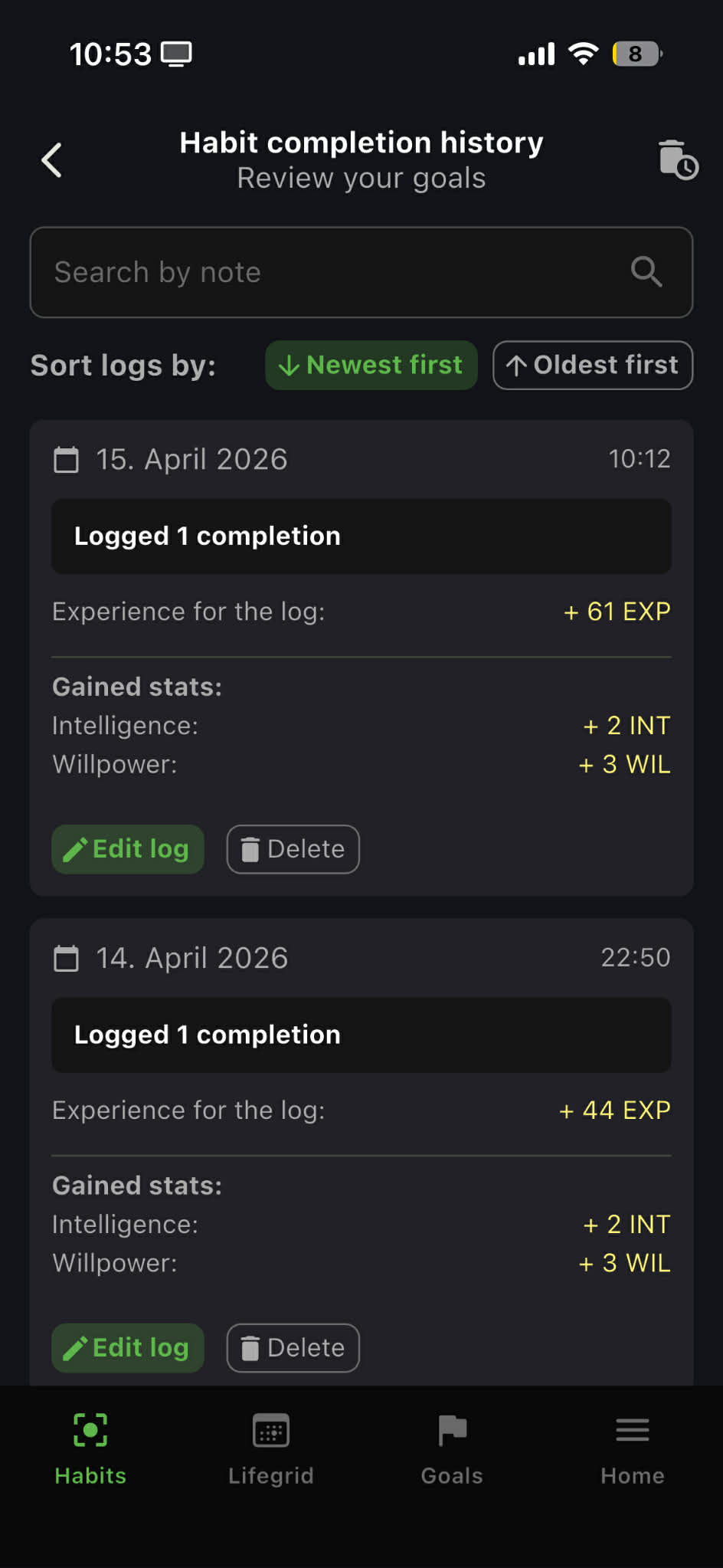
If you logged by mistake, or you want to remove a completion, delete it from the habit's history. Deletion reverses the XP, HP, stat, and currency effects automatically - the system recomputes everything from what's left.
A deleted log can be restored during the same session via the Undo prompt that appears after deletion.
Editing a Log
You can edit the amount logged (for measured habits) and the note. Editing recalculates the stat contributions for that day so your real-life stats stay accurate. The XP earned for the original log isn't re-rolled.
Related Pages
- Habit Timer - stopwatch and countdown logging for time-based habits
- Streaks & Habit HP - what your logs feed into
- Earning Silver - the currency you earn per log
- Habit Soldiers - how logs power the soldier's growth
- Real-Life Stats - how logs feed the 0-100 stat system