
Managing Equipment
Equipping, unequipping, selling, and comparing items happens through your inventory and the paper-doll view. Most of it is straightforward - tap an item, pick a slot, done. This page covers the flows and the few things worth knowing about each.
The Paper Doll View
The paper-doll view is where your equipped loadout lives. It shows your avatar in the center with the eight equipment slots laid out around it:
- Left side: helmet, armor, weapon, shoes.
- Right side: necklace, gloves, ring, belt.
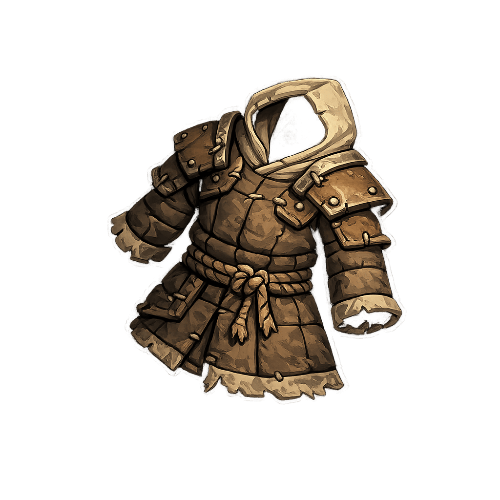
Each slot card shows the equipped item's image and a rarity border when filled, or an empty placeholder when the slot is empty. Tapping any slot opens a selection sheet where you can swap or unequip.
Equipping and Swapping
Equipping an item moves it from your inventory into a slot. The flow:
- Open the slot you want to equip - either from the paper doll or by tapping an item in your inventory.
- The selection sheet shows all eligible items for that slot, sorted by total stat value descending.
- Each candidate shows stat deltas against your currently equipped item - per-stat positive/negative/unchanged markers so you can judge the swap at a glance.
- Tap to equip. The previous item, if any, automatically returns to your inventory.
Equipping has no confirmation modal. The stat delta is your confirmation - you can see exactly what changes.
Stat deltas are the fastest way to compare
A candidate item's overall stat sum tells you it's "bigger" - but the deltas tell you whether the trade-off makes sense for your build. An item that's bigger overall but drops your Attack Power isn't automatically an upgrade for an offense-focused Archer.
Unequipping
Unequipping clears the slot and returns the item to your inventory - it's never lost. The flow is a single tap from the slot selection sheet.
An unequipped item is still yours. It sits in the inventory until you equip it again, equip it somewhere else, or sell it.
Selling Items
Selling an item trades it for gold - permanently. The sell price is always a quarter of the item's buy price, floored. Items you found as drops have an imputed buy price based on their level and rarity, so drops also sell for a quarter of their equivalent shop value.
The sell flow is gated by a confirmation modal: "Sell item name?" with Confirm / Cancel. Selling is irreversible - once the item is gone, it's gone.
Selling is permanent
There's no "undo sell" action. If you sell an item and then realize you wanted it, you'll have to wait for another roll. The confirmation modal exists because the action is irreversible.
The 25% Sell Rate
The 75% loss on selling is a deliberate gold sink. If you could sell items for their full price, the shop would become a rental service - buy, try, sell back, repeat. The 25% return lets you recover some gold from unwanted items without letting you round-trip freely.
In practice, selling makes sense for:
- Common drops that are lower-level than your current gear.
- Off-slot duplicates when the slot is already filled with something better.
- Accessories that don't match your build - a Luck-focused ring on a Knight build, for instance.
Selling rarely-rolled rarities (epic, legendary) is usually a mistake unless the stats are truly useless for your build.
Inventory Has No Cap
There's no limit on how many items your inventory can hold. You're free to stockpile without worrying about bag space. The only constraint on buying from the shop is your gold balance; the only constraint on holding drops is your patience for scrolling.
Equipment Is Locked During Battles
Once you enter a dungeon or an adventure quest, your loadout is frozen for that run. You can't swap gear between encounters - whatever you wore into the first fight is what you wear into the boss phase.
Why the lock
A dungeon is a test of what you built before entering. Letting you swap gear between encounters would dilute that - you'd be min-maxing for each specific fight rather than committing to a build. The lock keeps dungeons feeling like single coherent runs.
The same applies to arena matches - once the encounter intro plays, your loadout is locked for that match.
Outside of battles, you can freely swap anytime.
Inspecting Other Players' Loadouts
When you're matched against someone in the arena, or you view someone's leaderboard profile, their paper doll is visible as a read-only view. You see their equipped items, their stats, their class. You can't swap anything; you're just looking.
This is how the leaderboard's "inspect a build" flow works in practice - tap a player, see their gear.